Pay in full and save 5% with code PAY5. Or reserve with a 20% deposit.
Skip to content
Gogoria

GoGoria

How to Book a Private Driver in Georgia

Booking a private driver with GoGoria gives you the freedom to travel around Georgia at your own pace.

Choose your starting point, final destination, service duration and the main places you plan to visit. For multi-day journeys, add your main stops and overnight locations so we can calculate the service correctly and plan a suitable driver and vehicle. Your schedule can remain flexible during the journey — you do not need to plan every small stop in advance.

This step-by-step guide explains how to choose your route, duration and vehicle, submit your booking request, and complete your payment.
1

Route & duration

Tell us where the service starts and ends

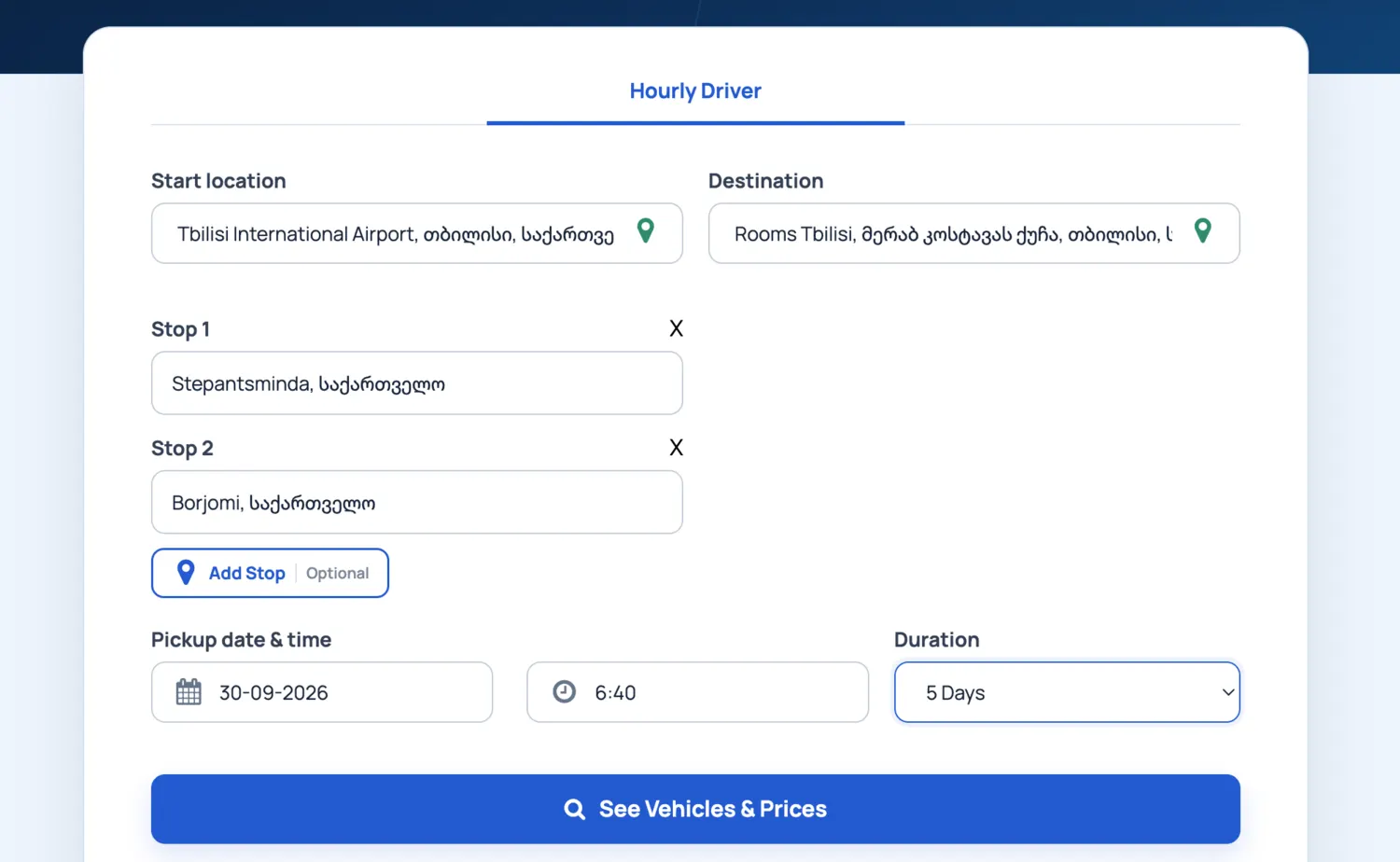
Enter your Start location and final Destination. Then choose the pickup date, time and how long you would like to keep the private driver. Private Driver can be booked from one day up to 14 days.

If you are staying within one city, extra locations are optional. For travel between cities or regions, add the main places you plan to visit in the order you expect to visit them.

Example shown: a 5-day service starting at Tbilisi Airport, with Stepantsminda and Borjomi as planned stops, and Tbilisi as the final destination.

GoGoria Private Driver form with start location, destination, stops and five-day duration
Add the main route, service start and expected duration before checking vehicles and prices.
2

Multi-day route

Add main stops and overnight locations

For a multi-day journey, you do not need to enter every coffee, photo or short comfort stop. Add the important destinations and especially the places where you expect to stay overnight.

Your daily schedule can still remain flexible. We mainly need the route outline so we can plan realistic driving times, driver rest and a suitable vehicle for the journey.

Planning tip: for comfortable multi-day travel, we recommend around 300–350 km of driving per day on average. Mountain roads may require more time than the same distance on a highway.

Multi-day Private Driver route with planned stops
Use Add Stop for the main places and overnight locations on a multi-day journey.
3

Price calculation

Duration and route are both considered

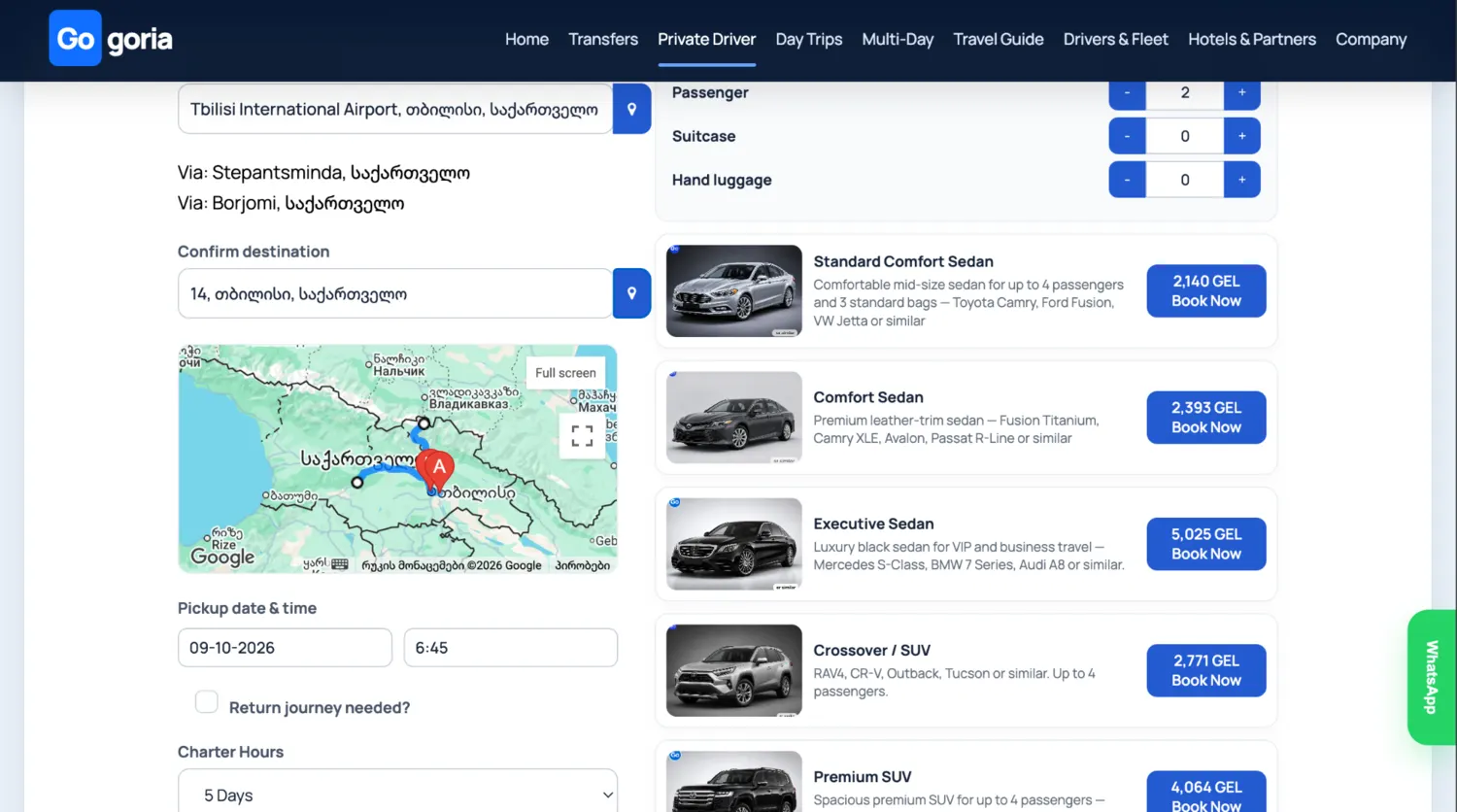
The price is based on both the booked service duration and the planned route. A five-day booking does not automatically mean one fixed five-day price for every itinerary.

If the vehicle covers fewer kilometres during the booked period, the price can be lower and the minimum service rate may apply. Longer routes and greater driving distance are calculated accordingly.

If a route requires too much driving for the selected duration, we may contact you to adjust the itinerary or extend the service. The same driver normally stays with you throughout the booking, so sufficient driving and rest time is important.

Private Driver vehicle results with route, duration, passengers and prices
The results reflect the route and duration entered in the booking form.
4

Passengers, luggage & vehicle

Choose the vehicle that fits your journey

On the results screen, confirm the destination and route, then set the number of passengers, suitcases and hand luggage. The available vehicle categories and prices are displayed for your booking.

Vehicle photos represent the category; the exact model may vary within the selected class. Choose the suitable option and click “Book Now”.

GoGoria Private Driver vehicle categories and passenger and luggage selectors
Check passengers and luggage before selecting a vehicle category.
5

Contact & flight details

Add the information we need for the service

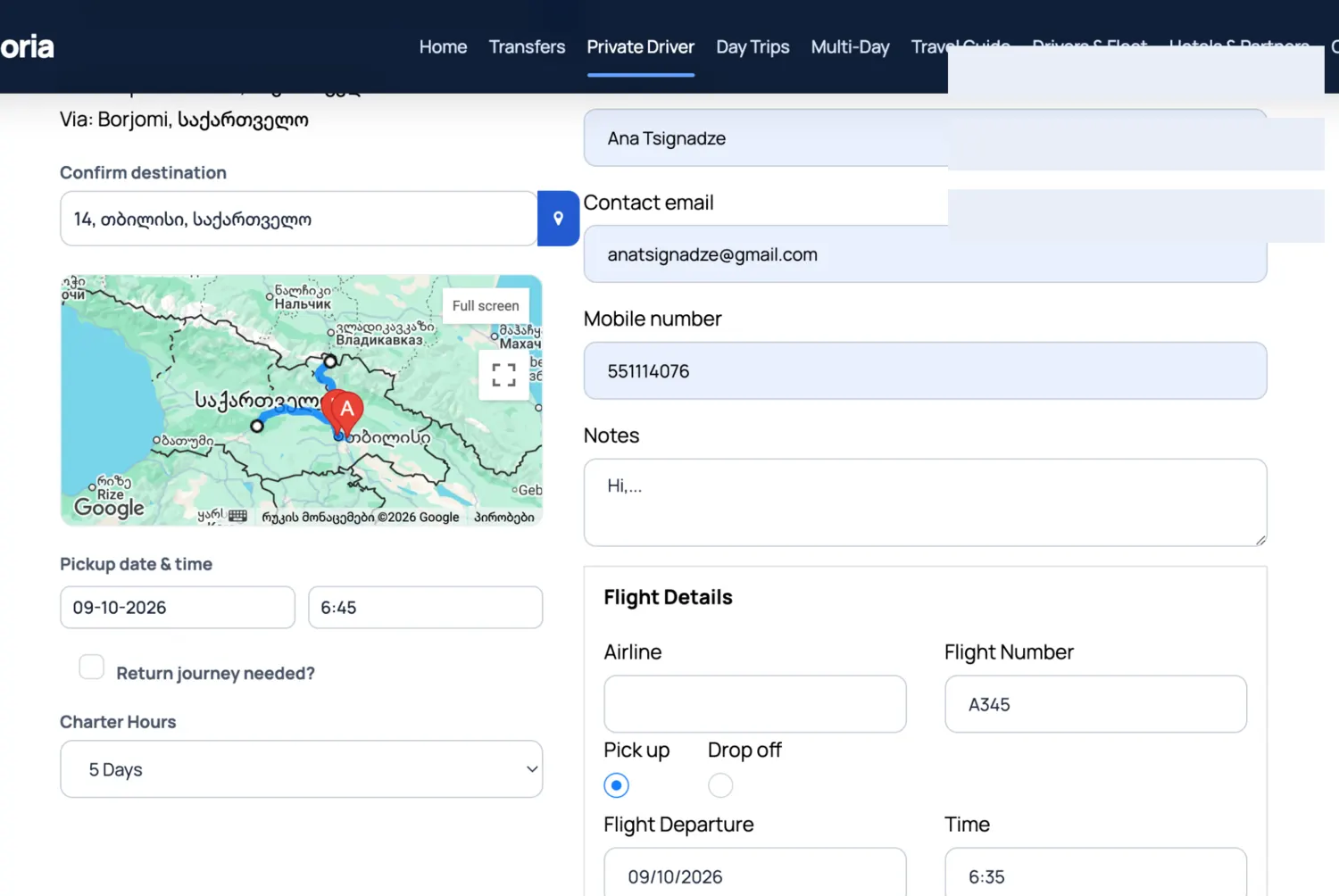
Enter the contact name, email and mobile number. Use Notes for hotel names, timing details, special luggage or anything else that can help us prepare the journey.

If the service starts or ends at an airport, add the airline and flight number together with the requested flight details. This helps us coordinate the pickup if the flight timing changes.

Private Driver contact, notes and flight details fields
Add contact details, useful notes and flight information when relevant.
6

Booking request received

Review the booking before continuing

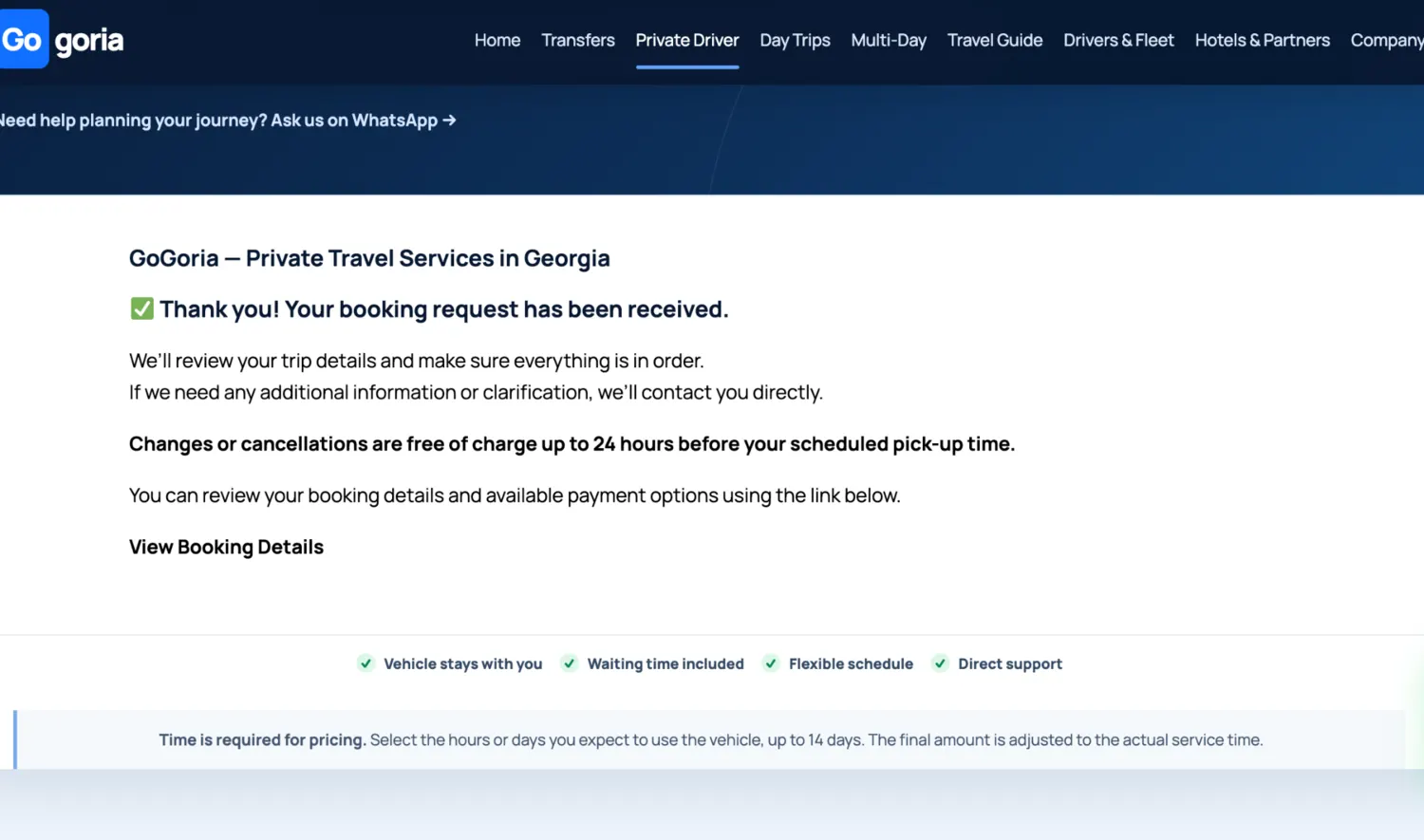
After you submit the form, the confirmation screen shows that your booking request has been received. We review the journey details and contact you if anything needs clarification.

Open “View Booking Details” to review the date range, route, via stops, vehicle, passenger information and price.

GoGoria Private Driver booking request received screen
The confirmation screen links to the full booking details.
7

Order & optional extras

Check the order and add extras if needed

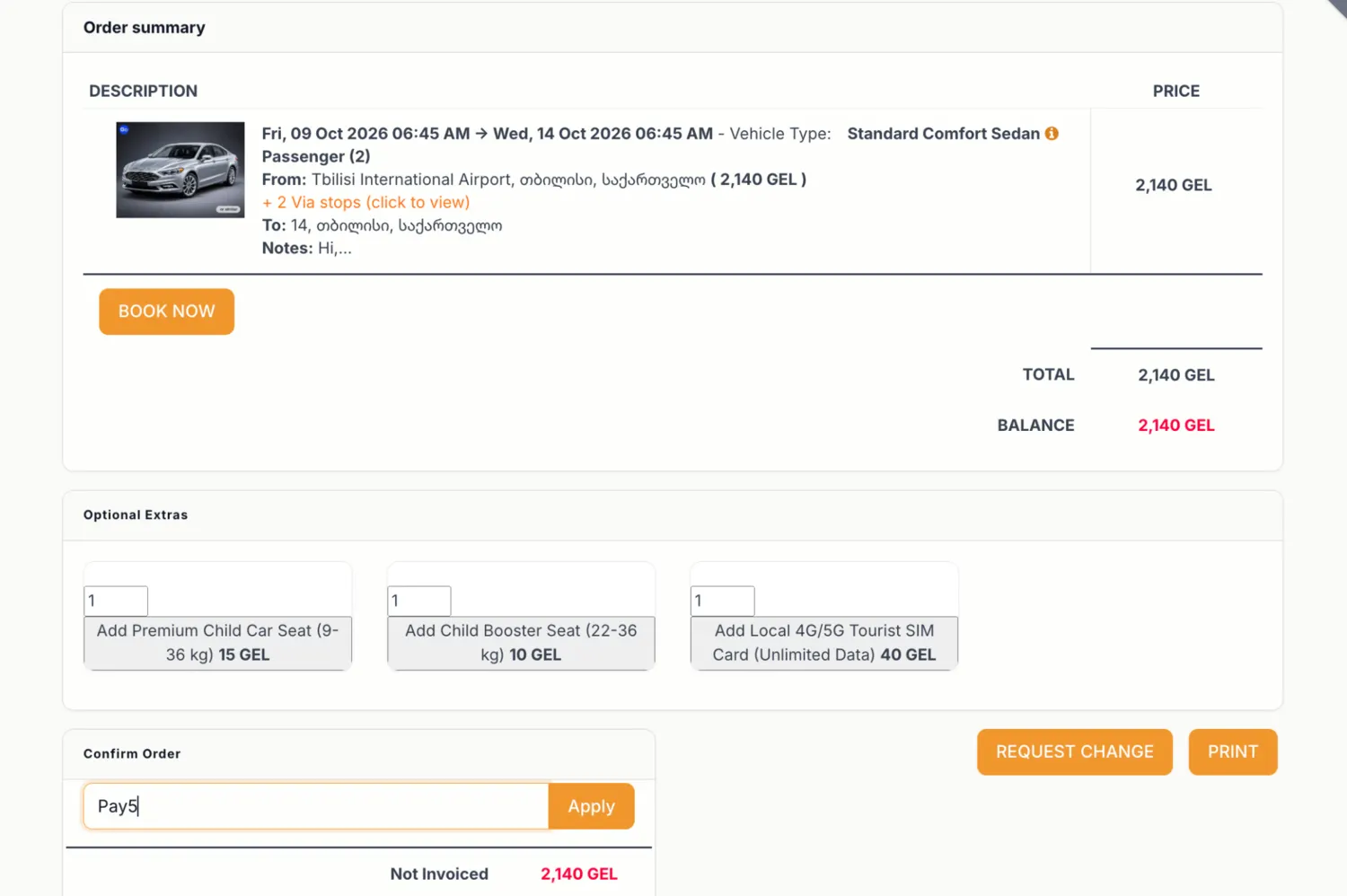
The order page shows the service dates, vehicle, route, via stops, notes and total price. Review these details before confirming.

Available extras are shown on the order. Depending on the booking, these can include a child car seat, booster seat or local tourist SIM card. Select only the extras you need and choose the quantity.

Private Driver order summary with optional extras
Review the route and dates, then add any available extras you need.
8

Full payment discount

Use PAY5 when paying in full

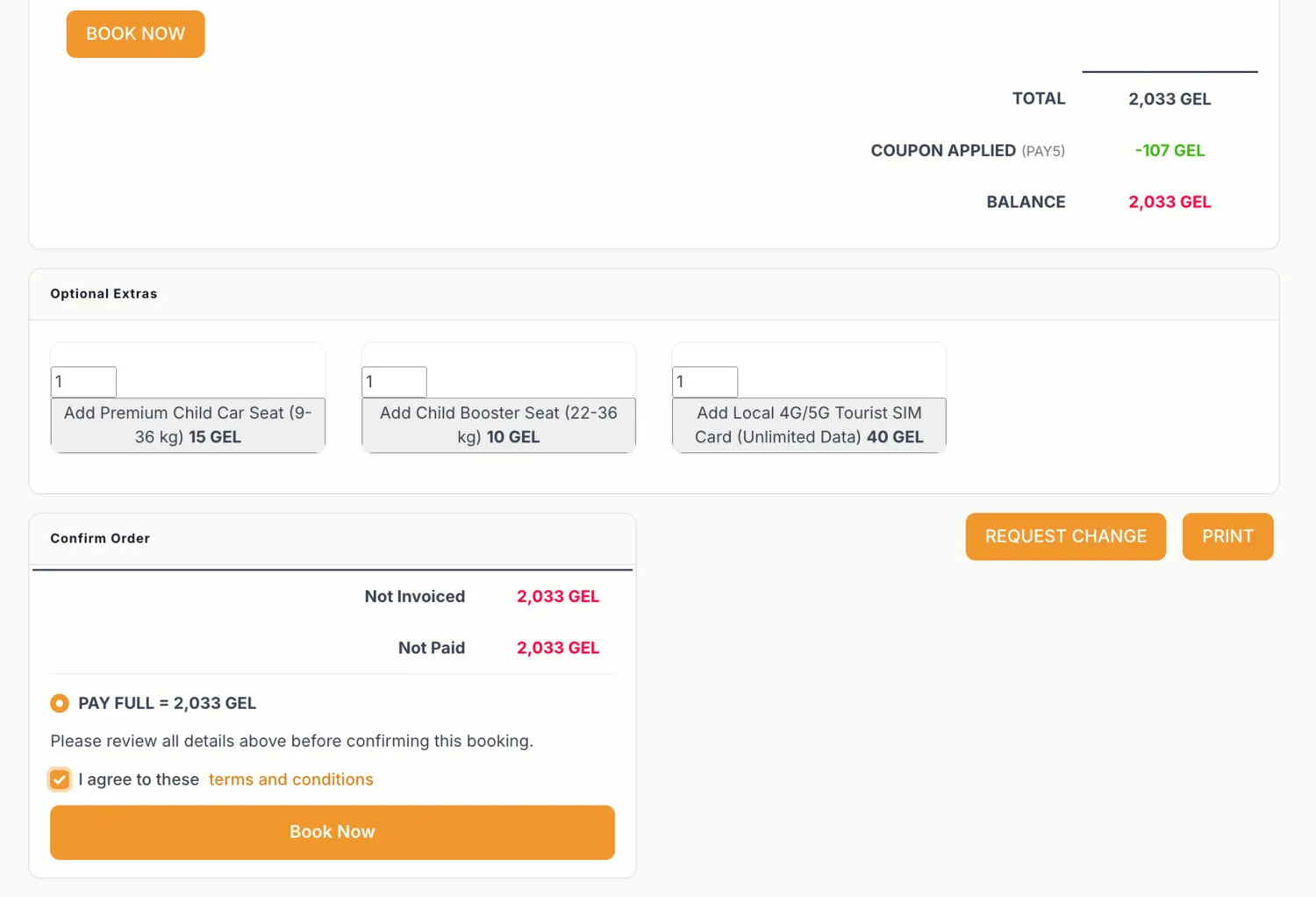
If you choose full advance payment, enter coupon code PAY5 in the coupon field and click Apply. The eligible booking amount is reduced by 5%.

PAY5 is for full advance payment only.

Accept the Terms & Conditions and continue with “Book Now” to create the invoice and payment step.

Private Driver order with PAY5 coupon and full payment option
PAY5 gives 5% off when the eligible booking is paid in full in advance.
9

Invoice & payment

Continue to the payment instructions

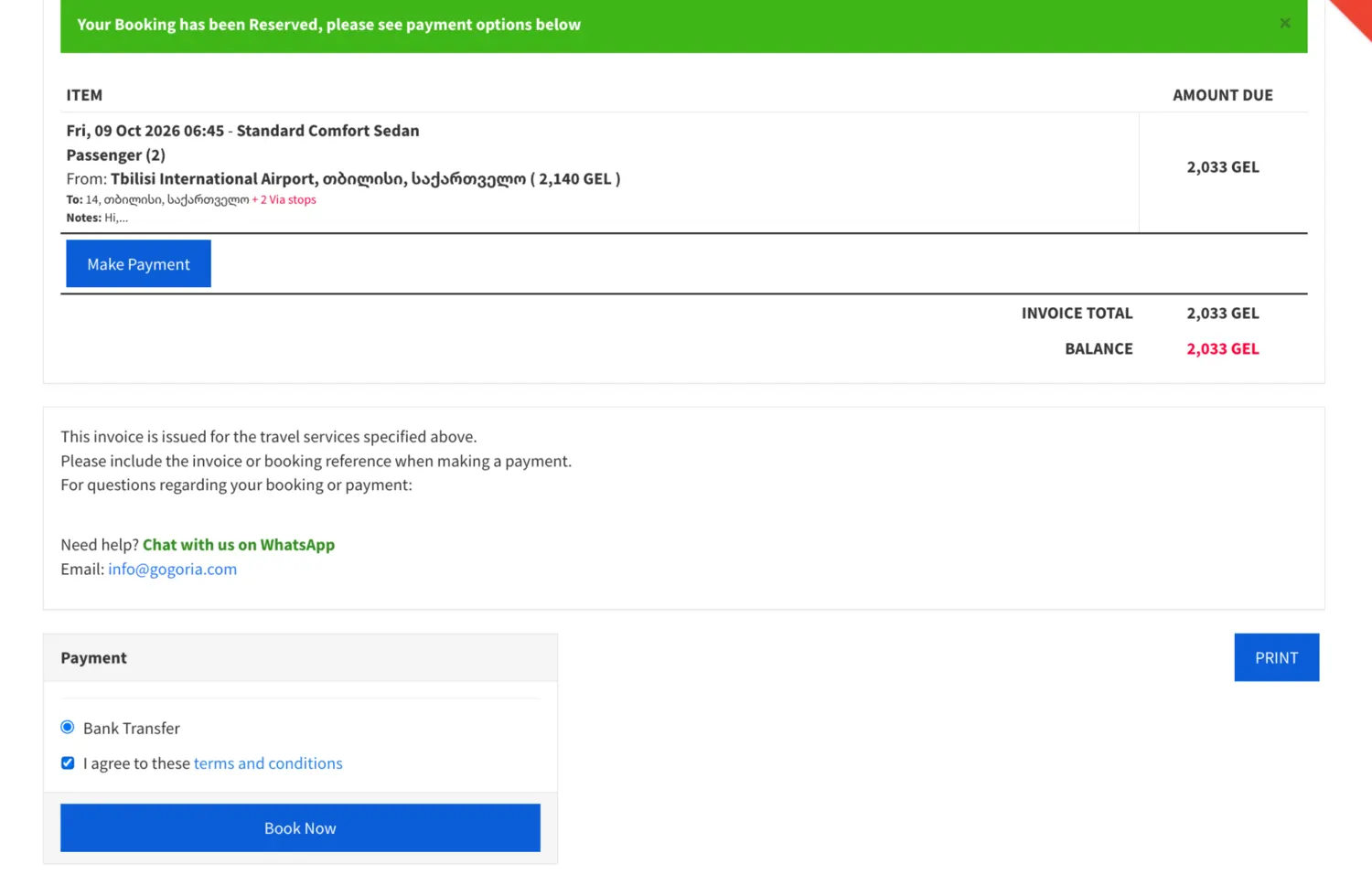
The invoice page shows the booking amount and available payment option. Select the payment method, accept the Terms & Conditions and continue to display the payment instructions.

Keep the order and invoice numbers as your booking and payment reference.

GoGoria Private Driver invoice and payment screen
Continue from the reserved booking to the invoice and payment step.
10

Changes & cancellation requests

Use Request Change if your plans change

If you need to correct the route, dates, duration, passenger details or another part of the booking, use “Request Change” on the order instead of creating a duplicate booking.

You can also use the same request to ask for cancellation. GoGoria reviews the request and processes it according to the booking conditions.

Private Driver order page with Request Change button
Use Request Change from the existing order when something needs to be updated.

After booking

Your driver stays with you

Once the booking is confirmed and a driver is assigned, you will receive the driver details by email before the service starts. The same driver normally stays with you throughout a multi-day Private Driver booking.

GoGoria support remains available before and during the journey if you need help or a reasonable adjustment to the plan.

Ready to plan your route?

Book your Private Driver

Return to Private Driver to enter your route and duration. If you are unsure whether the itinerary is realistic, send it to GoGoria on WhatsApp and we can help before you book.

WhatsApp